Fix a Minecraft Server Crash with ChatGPT, Claude or Codex
Connect ChatGPT, Claude or Codex to Pixly's MCP server and ask why your Minecraft server crashed. The assistant reads the console and fixes the setting.

After a Minecraft server crash, an assistant connected to Pixly finds the error that stopped the server and changes the Java version, mod or server size that caused it. Setup takes one address and a sign-in, in Claude, ChatGPT, Claude Code or Codex.
MCP gives an assistant the console and the settings
MCP (Model Context Protocol) is how Claude, ChatGPT and Codex connect to outside tools. Pixly runs an MCP server, so a connected assistant can check and change your servers.
Reads
The console, including errors printed before Minecraft starts, the server's status, up to 6 hours of its lag and memory use, and players the whitelist turned away.
Changes
The Minecraft version, Java version, mods and plugins, size, whitelist and operators. It also starts, stops and restarts the server and restores backups.
Cannot
Type console commands or open the server's files.
On 27 October 2026, we gave Claude Code a Paper 1.21.4 server set to Java 17 on purpose.
- About four minutes in, Pixly stopped the server and marked it as unable to finish starting.
- The assistant found
UnsupportedClassVersionErrorin the console: Paper 1.21.4 needs Java 21. - It switched the server to Java 21 and started it again.
- About 100 seconds later, Paper printed
Done (49.361s)!, its sign that the server is ready.
Ask in plain words, for example:
- "My server won't start since I added a mod."
- "My friend can't join. Find out why."
- "My server lags tonight. Find the cause."
The guide to hosting a Minecraft server with AI has more requests, from a lifesteal server to Bedrock crossplay, with what each one built.
The assistant fixes mods, Java, memory and lag
Each problem below leaves a sign in the console or on the dashboard, and a connected assistant can fix it from the chat.
- A mod or plugin was added without a mod it depends on. Fabric stops with
Incompatible mods found!and names the missing mod and the version it needs.1 NeoForge stops withMissing or unsupported mandatory dependencies:.2 Paper starts without the plugin and logsUnknown/missing dependency plugins:with the missing names.3 The assistant installs the missing mod or plugin and restarts the server. - A mod or plugin is built for a newer Java. The console says the file
has been compiled by a more recent version of the Java Runtime. Pixly picks Java from the Minecraft version, and a mod can still need a newer one. The assistant switches the server to the Java version the mod needs. - A client-only mod is on the server. A client-only mod is made to change only what the player sees. The server lacks the screen code such a mod calls, so it crashes with
NoClassDefFoundErrororClassNotFoundException.4 The dashboard flags a client-only mod when you add one. The assistant removes it from the server, and players keep it in their own game. - The server runs out of memory. Pixly stops a server that keeps running out of memory and asks for a size with more memory. The assistant can move it to a larger size, which costs more per running hour.
- The server lags with players on. Each tick has 50 ms,5 and when lag keeps returning, Pixly names the cause: pauses to free memory, a busy processor core or the world's own work. The assistant moves the server to a size with more memory or a second core; for the world's own work a bigger size does not help, and the assistant can add performance mods or lower the simulation distance.
- A friend cannot join. A new Pixly server starts with its whitelist on, so only listed players and operators can join. Pixly records each player the whitelist turned away. The assistant adds that player to the whitelist.
Claude adds Pixly as a custom connector
Custom connectors work in claude.ai and the Claude desktop app on the Free, Pro, Max, Team and Enterprise plans, and a Free account can add one.6
Open Connectors. In Claude, open Customize, then Connectors.
Start a custom connector. Click + Add, then "Add custom connector".
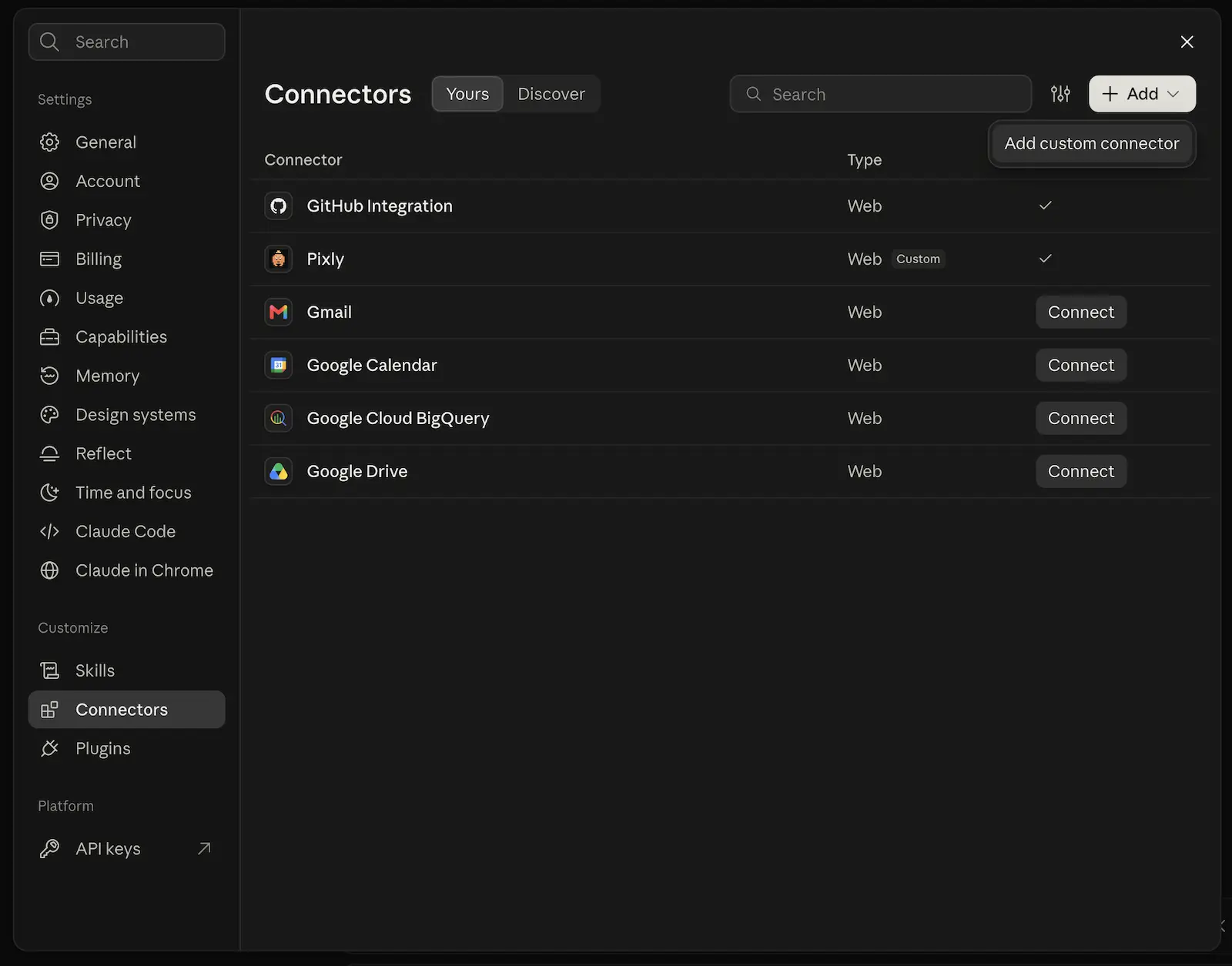
The custom connector option sits under Add. Name it and paste the address. Type
Pixlyas the name and paste this address, then click Continue.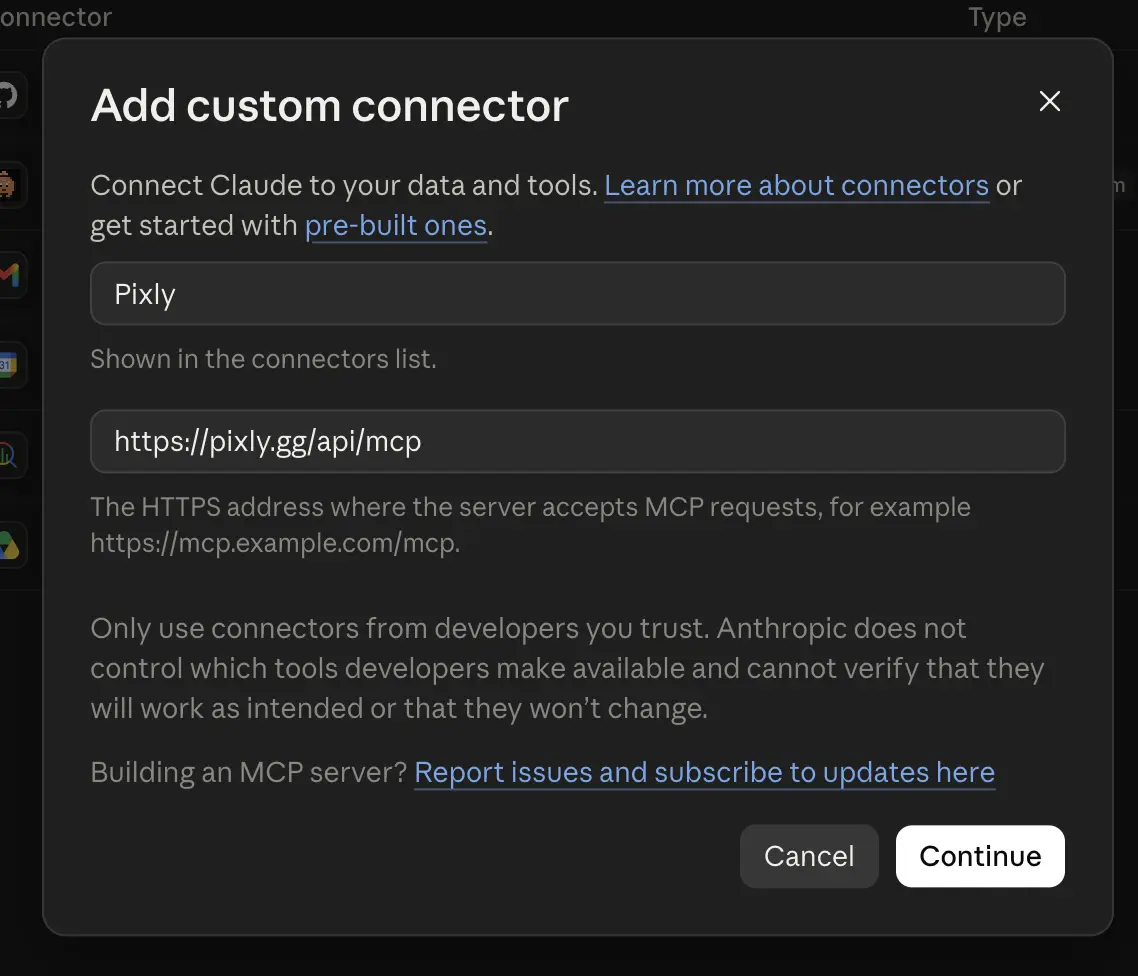
Claude needs a name and the address at this step. Choose when to sign in. Under Authentication, choose "Sign in when needed". Pixly's prices and Minecraft version lists work without an account. Under OAuth client, keep "Use Claude's published identity", marked Recommended, then click Add.
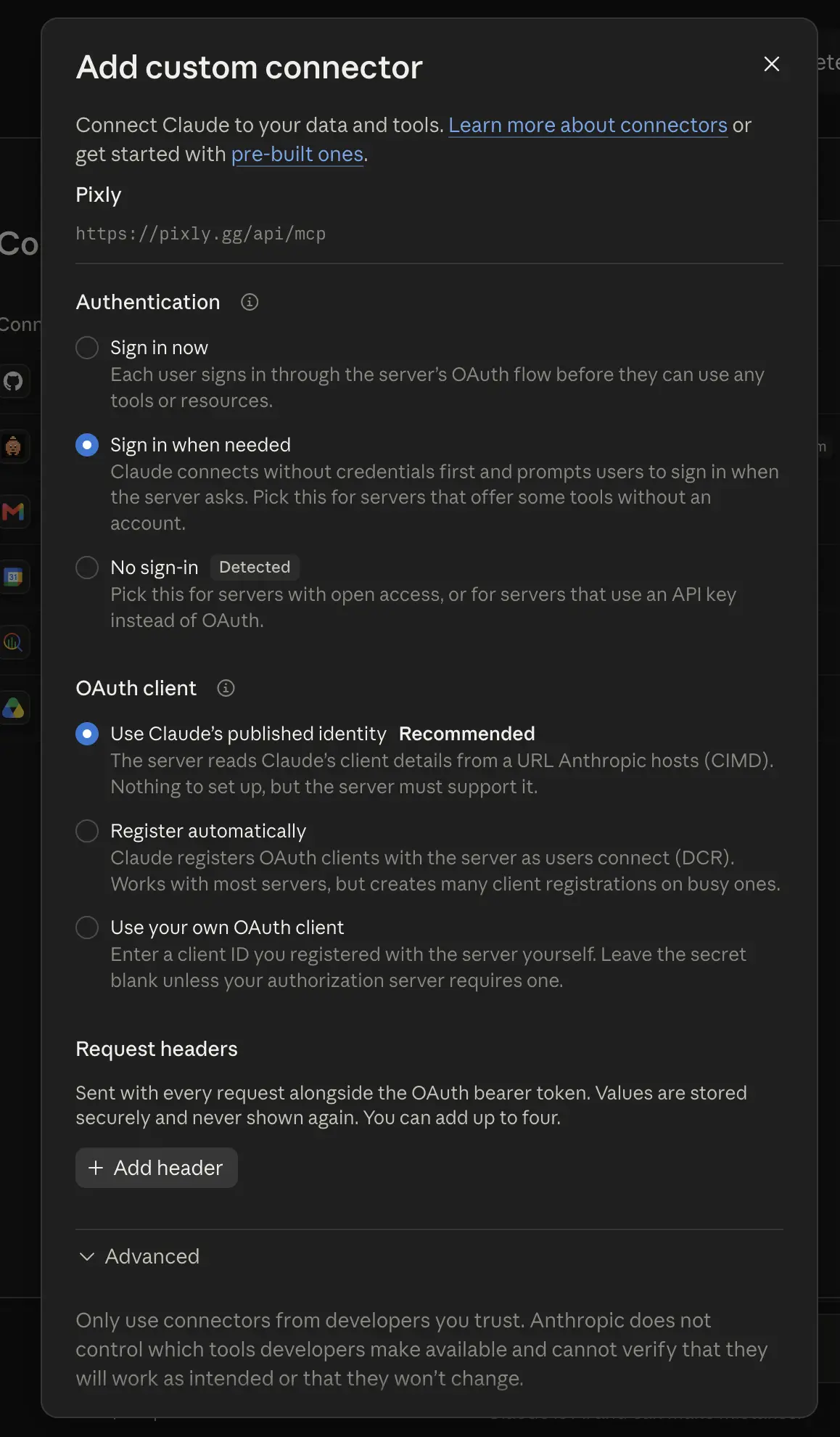
With these options Claude asks for your Pixly account only when a request needs it. Turn Pixly on in a chat. In a chat, click +, open Connectors and switch Pixly on.
Sign in when Claude asks. The first time Claude needs your servers, it asks you to sign in to Pixly. Approve the app on Pixly's page.
ChatGPT adds Pixly as a custom MCP server
OpenAI lists full MCP support for ChatGPT Business, Enterprise and Edu on the web.7
Open Plugins. In ChatGPT on the web, open Plugins in the sidebar.
Start a custom MCP server. Click Add, then "Add custom MCP server".8
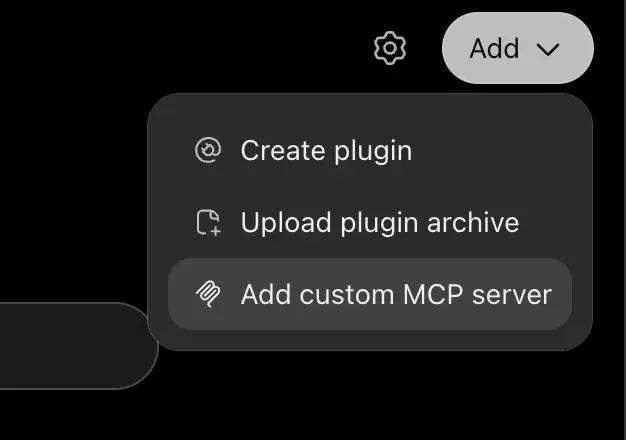
ChatGPT keeps custom MCP servers under Add on the Plugins page. Name it and paste the address. Type
Pixlyas the Name. Under Connection, choose Server URL and paste this address.Accept the risk notice and create. Set Authentication to "OAuth or no authentication". Tick "I understand and want to continue", then click "Create as a plugin".
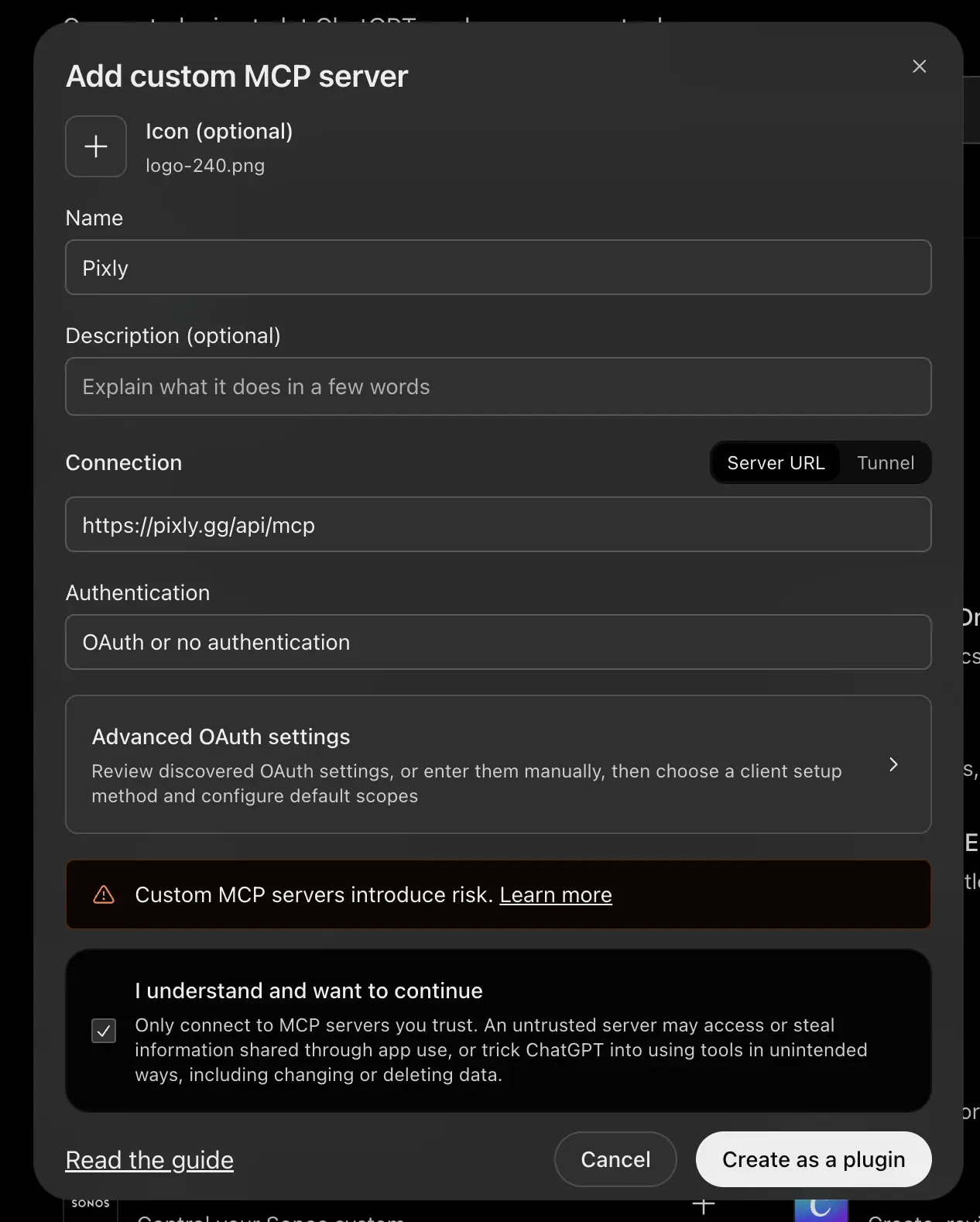
ChatGPT creates the plugin only after the risk box is ticked. Install the plugin. Install the Pixly plugin you created.
Sign in with Pixly. In the Connect Pixly window, choose "Sign in with Pixly". Approve the app on Pixly's page.
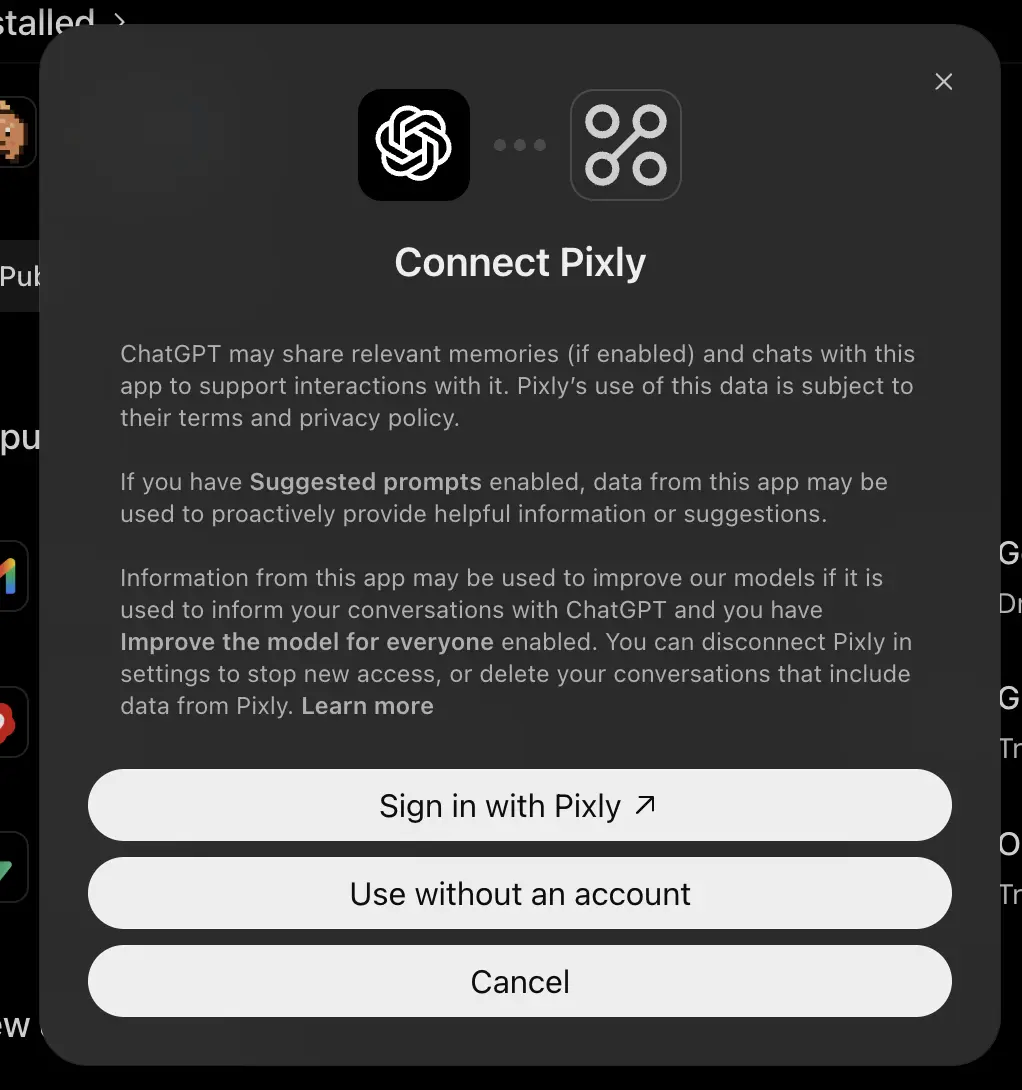
Sign in with Pixly opens Pixly's own page in your browser. Pick Pixly in a chat. In a chat, type
@and pick Pixly.
Claude Code connects to Pixly from the terminal
Run this command in a terminal to add Pixly to Claude Code.9
claude mcp add --transport http pixly https://pixly.gg/api/mcpRun /mcp inside Claude Code, then finish signing in on the page that opens in your browser. Adding --scope user to the command makes Pixly available in every project.9
Codex adds Pixly and opens the sign-in
Run this command to add Pixly to the Codex CLI, the version of Codex that runs in a terminal.
codex mcp add pixly --url https://pixly.gg/api/mcpCodex detects that Pixly needs a sign-in and starts it in your browser right away.10 Run codex mcp login pixly to sign in again later.11 The Codex IDE extension, which runs Codex inside a code editor, reads the same settings. The ChatGPT desktop app reads them too, so Pixly appears in both.11
Common questions: backups, cost and access
ChatGPT, Claude and Codex use the same Pixly connection, so the safety, cost and disconnect rules match for all three.
Can an AI assistant break my Minecraft server?
Every Pixly server keeps a daily backup with a week of history. Paid accounts also get a snapshot, a saved copy of the server, before any Minecraft version, server software, modpack or mod list change. ChatGPT asks you to confirm each change by default.8
Does the AI assistant cost anything extra?
Connecting an assistant costs nothing. Pixly bills the time your server runs, and a larger size costs more per running hour. A new server costs nothing until its first start, so you can create a server and connect the assistant before it runs.
How do I disconnect an AI assistant from Pixly?
Press Disconnect on your Pixly account page. The assistant then loses its access to your servers.
Footnotes
FabricMC, Fabric Loader's error messages. ↩
NeoForged, FancyModLoader's dependency check. ↩
PaperMC, Paper's missing plugin dependency message. ↩
Anthropic, Get started with custom connectors using remote MCP. ↩
OpenAI Help Center, Developer mode and MCP apps in ChatGPT. Read from an archived capture dated 18 July 2026; the live page refuses automated requests. ↩
OpenAI, Add custom MCP server. ↩ ↩
Anthropic, Connect Claude Code to tools via MCP. ↩ ↩
OpenAI, the Codex CLI's mcp add command. ↩
OpenAI, Model Context Protocol. ↩ ↩